
A new graphics card or extra memory can transform a gaming PC. The upgrade only pays off if the system stays stable afterward.
Many problems appear weeks after installation, not on day one. Heat, drivers, and software conflicts are the usual culprits.
This guide shows how to protect your investment and spot trouble early. It also explains when gaming PC repair in Princeton is worth a call.
Give the New Parts Time to Settle
Run a few demanding games or a benchmark right after installation. Watch for crashes, graphical glitches, and unusually loud fans.
Note your temperatures and frame rates in the first week. Those numbers become your baseline for spotting changes later.
If something looks wrong early, stop and check the installation. Loose power cables and partly seated parts are common first-week issues.
Do not ignore small warnings. A crash that happens twice is a pattern, not bad luck.
Keep Cooling Under Control
Heat is the biggest threat to a gaming PC. A stronger graphics card or processor produces more of it.
Make sure the case has clear airflow, with fans pulling cool air in and pushing hot air out. Tidy cables so they do not block the path.
Listen for fans that ramp up quickly or stay loud at idle. These signs often mean airflow or cooling needs attention.
Thermal paste also ages over time. Dried paste can raise temperatures even when the fans look healthy.
Case fans wear out as well. A fan that rattles or spins slowly should be replaced before it fails during a long session.
Stay Ahead of Dust Buildup
Dust clogs filters, fans, and heatsinks faster than most owners expect. Pets and carpeted rooms make it worse.
Turn the computer off, unplug it, and clean the filters every month or two. Use compressed air in short bursts and hold the fans still while you do.
Many owners schedule computer maintenance in Princeton, NJ once or twice a year for a deeper cleaning. A technician can reach areas that are easy to damage at home.
Placement matters too. Keep the tower off the carpet and a few inches away from walls so air can move freely.
Update Drivers the Safe Way
Graphics drivers affect speed, stability, and game compatibility. Download them only from the graphics card maker or from your system’s official tools.
Scam sites often pose as driver downloads. The FTC explains how to recognize and avoid phishing scams, and CISA urges people to install updates promptly.
If a new driver causes crashes, roll back to the previous one. Wait for the next release before trying again.
Plan for Storage and Memory
Modern games are huge, and a nearly full drive slows loading and updates. Leave generous free space on your main drive.
A fast solid-state drive helps most with load times. Keep older games on a secondary drive if space runs short.
Memory needs care too. Matching modules and the correct speed profile in the BIOS keep the system stable.
A well-planned computer upgrade in Princeton, NJ should balance memory, storage, and graphics so no single part holds the others back.
Protect Graphics Performance
A powerful graphics card needs steady power. Check that every power cable is firmly seated and that the power supply is strong enough.
Your monitor and settings matter as well. Match the resolution and refresh rate to what the card can handle.
If a graphics card keeps throttling, check temperatures and power before blaming the card.
If frame rates drop suddenly, check temperatures first. Throttling from heat is more common than a failing card.
Check the Power Supply and Cables
A power upgrade is easy to overlook. A stronger graphics card can demand more than an older power supply can deliver safely.
Unstable power causes random restarts and crashes that look like software problems. Use a quality surge protector, and reseat cables during each cleaning.
Repeated shutdowns under load are a classic reason to look into gaming PC repair in Princeton, NJ, since the power supply may be the cause.
If you replace the whole system, look for ENERGY STAR certified computers to keep power use reasonable.
Prevent Software Conflicts
Overlays, background apps, and security tools can fight with games. Close what you do not need before you play.
Careful software installation also helps. Install one program at a time, restart when asked, and note any change in behavior.
If a game starts crashing after a new program arrives, remove that program first. Changing one thing at a time makes the cause easy to find.
Keep Windows current with the same update habits that CISA describes. NIST even treats patching as routine preventive maintenance.
Build a Simple Maintenance Routine
Routine care catches small problems before they grow. A short monthly checklist is enough for most owners.
Check temperatures, clean the filters, review startup programs, and confirm that backups work. Keep a note of what you find.
If a checkup turns up something odd, computer repair in Princeton, NJ is a better first step than swapping parts at random.
Catching a failing fan or a hot component early is far cheaper than replacing a part that has already burned out.
Review the list of programs that start with Windows. Fewer background tasks mean more resources for your games.
That log also helps a technician if trouble appears later. It shows what changed and when.
Know When Repair Is Needed
Some problems do not go away with cleaning and updates. Random shutdowns, repeated blue screens, graphical artifacts, and constant crashes need a closer look.
Heat damage, worn thermal paste, and a failing power supply can all cause similar symptoms. Sorting them out takes testing tools and experience.
This is where professional gaming PC repair in Princeton helps. A technician tests the power supply, memory, storage, and graphics card instead of replacing parts by guesswork.
Persistent problems rarely fix themselves. A technician can read error logs, test each component, and tell you which part, if any, needs to be replaced.
Many owners find that a short diagnostic is cheaper than swapping parts and hoping. A professional visit also protects your files while the problem is traced.
Recycle retired parts through EPA electronics recycling guidance instead of throwing them away.
Keep Your Gaming PC Performing at Its Best
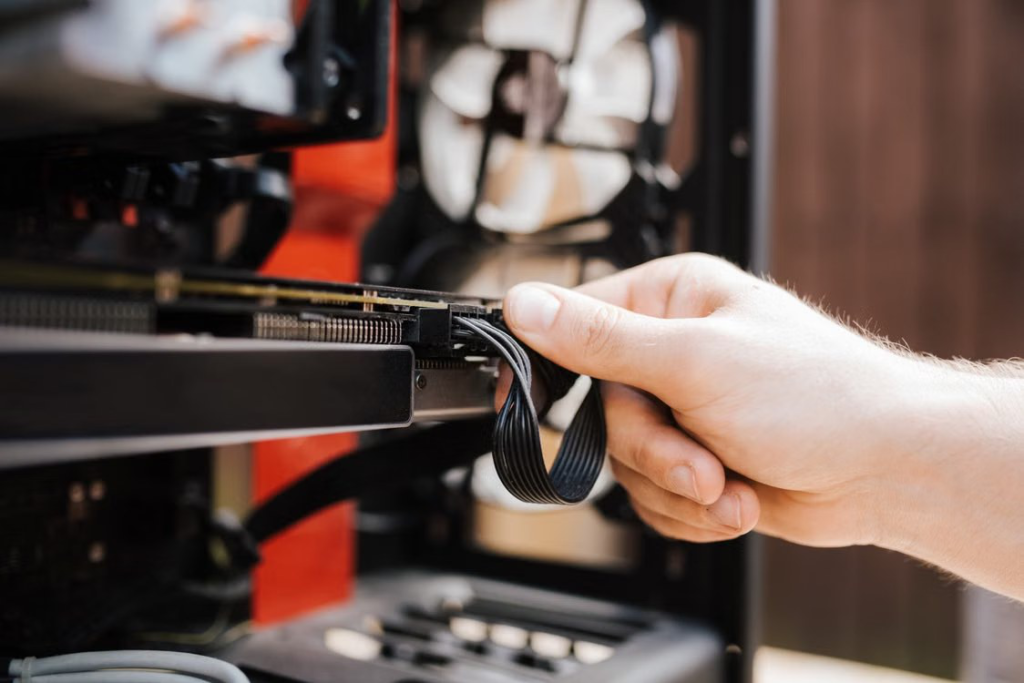
Image Link: https://www.pexels.com/photo/crop-faceless-man-fixing-cables-in-system-unit-4792713/
An upgrade should make your games better, not your life harder. At Princeton Computer Repair Service, we help gamers keep their systems stable after every change.
We serve customers in Monmouth County, NJ, Hunterdon County, NJ, Burlington County, NJ, and Bucks County, PA.
We offer gaming PC repair in Princeton, upgrades, and maintenance that keep your rig ready for the next session. Contact us today.