

Every laptop battery is quietly aging from the day it leaves the factory, whether it gets plugged in constantly or barely used at all. Extending your laptop battery life isn’t about a single trick; it’s a handful of small habits that, together, decide whether your machine lasts three years on its original battery or needs a replacement by year two.
Here’s what actually moves the needle, and what’s just internet folklore.
Stop Charging to 100% Every Time.
Lithium-ion cells don’t like extremes. Research points to the same pattern: keeping a cell between roughly 20% and 80% state of charge dramatically slows chemical stress compared to full 0–100% cycles. Both calendar aging and cycling patterns directly shape how fast capacity fades.
Apple’s own engineering team builds this logic into every modern MacBook: its battery health management feature is designed specifically to slow chemical aging by watching charging patterns and temperature history.
Heat Is the Real Enemy, Not Cycle Count
People blame charge cycles for battery death, but heat does more damage. Batteries stored or used at elevated temperatures lose capacity even when they’re sitting untouched.
If your laptop runs hot during video calls or games, that heat is aging the battery underneath it. Keeping vents clear, using a hard surface instead of a blanket or bed, and scheduling a computer maintenance checkup for fan cleaning all help more than people expect.
Depth of Discharge Matters More Than You’d Think
Research on lithium-ion charging schedules shows a clear, nonlinear relationship between charge rate, state of charge, and how quickly a battery’s usable capacity declines, with full discharge-to-full-charge cycles accelerating wear compared to shallower ones. Letting your laptop die completely regularly, then charging it all the way back up, is one of the more avoidable habits driving early battery failure.
Know What “Normal” Aging Looks Like
Apple states plainly that a battery is designed to retain up to 80% of its original capacity at its rated cycle count under normal conditions.
Once it drops meaningfully below that, the fan working overtime just to stay cool, or the laptop shutting down at 20%: that’s not something a charging habit fixes.
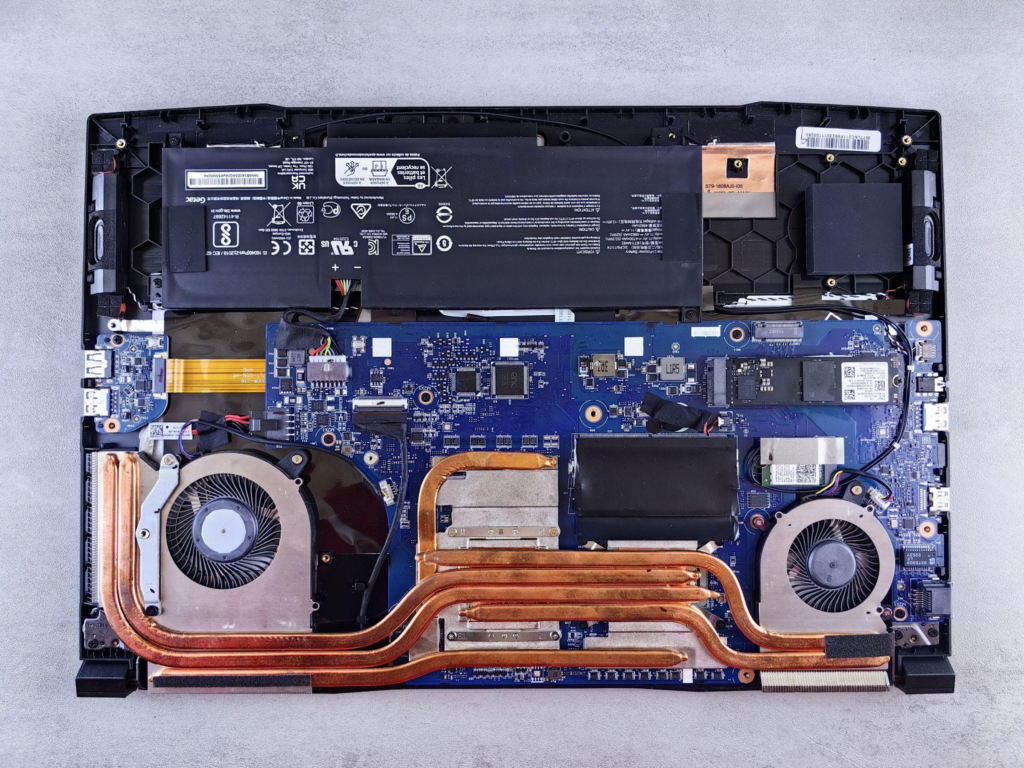
Good charging habits buy time; they don’t buy forever. Every lithium-ion battery has a finite chemical lifespan, and the goal isn’t to stop that clock but to slow it down enough that replacement happens on your schedule, not the battery’s. Once a battery starts showing real warning signs, the smarter move is getting it looked at before it takes your performance, or your data, down with it.
Serving Mercer County and the surrounding areas since 2005, with over 2,850 clients to date, Princeton Computer Repair Service handles laptop battery replacement work alongside broader laptop repair in Princeton for Windows, Apple, and gaming machines alike.
Their technicians can test actual battery capacity against design capacity, diagnose whether a swollen cell or shutdown issue needs a straightforward swap or points to something bigger, and pair that with computer upgrade in Princeton or maintenance if your machine could use a broader tune-up.
If your battery is showing any of the signs above, contact Princeton Computer Repair Service before a slow decline turns into a dead laptop at the worst possible moment.