
If your computer suddenly becomes slow, unstable, or starts acting strangely, it may be more than just a performance issue. In many cases, these are early warning signs of malware infection that require virus removal support.
Modern malware is designed to stay hidden while damaging your system in the background. It can steal data, corrupt files, and significantly reduce performance without obvious alerts. This is why recognizing early symptoms is critical for protecting both personal and business systems.
In this guide, we’ll break down the most common signs of infection, what causes them, and how proper removal and maintenance can restore system health before serious damage occurs. Early detection and timely professional intervention help reduce long-term damage, improve recovery success rates, and maintain consistent system stability.
Why Virus Infections Are a Serious Risk
Virus and malware infections don’t just slow down your computer; they compromise your entire system.
Without proper virus removal, infections can:
- Steal personalor financial data
- Corrupt important files
- Slow down the system performance dramatically
- Interfere with software and updates
- Spread across connected devices
In severe cases, users may end up needing emergency computer repair due to delayed action.
1. Sudden Drop in System Performance
One of the first signs of infection is a noticeable slowdown. Programs take longer to open, files lag, and basic tasks feel delayed.
This often happens because malware is consuming system resources in the background without your knowledge. If your device was previously fast but has suddenly become sluggish, it’s time to consider professional inspection and virus removal services.
2. Frequent Pop-Ups and Unusual Ads
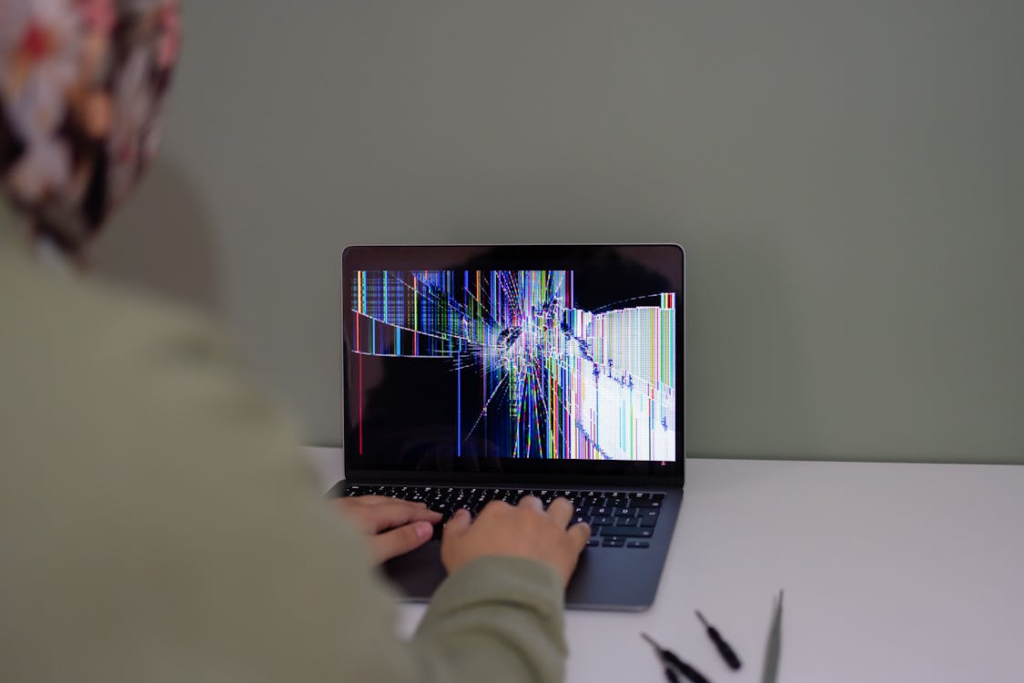
Excessive pop-ups, especially ones that appear outside your browser, are a strong indication of adware or spyware.
These programs are designed to generate clicks or collect user data. Ignoring them can lead to deeper system compromise that may eventually require PC technician support to fully resolve.
3. Programs Opening or Closing on Their Own
If applications launch without your command or close unexpectedly, your system may be infected.
Malware often interferes with system processes, leading to unstable behavior. This is a clear sign that you may need urgent virus removal before the issue spreads further.
4. Unknown Software Installed on Your System
Random programs appearing on your device without installation are a major red flag.
These hidden applications often run in the background and can collect sensitive information. If left unchecked, the problem may escalate into system corruption requiring Computer Repair in Manville services.
5. Overheating or Constant Fan Activity
When your computer is working harder than normal, even during light usage, it may be running hidden malicious processes.
This increased load can cause overheating, reduced performance, and long-term hardware stress that may lead to laptop repair if ignored.
6. Browser Redirects and Search Changes
If your browser keeps redirecting you to unknown websites or your default search engine changes unexpectedly, it is likely infected.
These issues are commonly caused by browser hijackers and should be removed immediately using professional virus removal services.
7. Disabled Security Software
If your antivirus software is suddenly turned off or cannot be enabled, this is a serious warning sign.
Many malware types disable security tools to avoid detection, leaving your system vulnerable to further attacks. At this stage, professional intervention is strongly recommended.
How Virus Removal Fixes the Problem
Proper removal is not just about deleting suspicious files. It involves a full system cleanup process.
A professional service typically includes:
- Full system scan and threat detection
- Removal of hidden malware and spyware
- Repair of damaged system files
- Restoration of performance settings
- Security hardening to prevent reinfection
This is why relying on expert virus removal services is far more effective than attempting manual fixes.
When to Seek Immediate Help
You should contact a technician immediately if you notice:
- Sudden freezing or crashes
- Data loss or missing files
- Unauthorized system changes
- Extremely slow performance
- Repeated pop-ups or redirects
In such cases, delaying action may lead to deeper system damage requiring full system restoration.
Prevention Tips to Avoid Future Infections
Once your system is clean, prevention becomes essential.
- Avoid downloading untrusted software
- Keep your system and applications updated
- Do not click suspicious links or ads
- Use secure networks whenever possible
- Schedule regular system maintenance
These habits reduce the need for frequent repair services such as emergency recovery.
Stay Ahead of Malware Threats
Malware infections often begin quietly, but they can escalate quickly if they are not addressed in time. Recognizing early warning signs and responding promptly with professional phone repair in Princeton is the most effective way to protect your data, maintain system performance, and extend the lifespan of your device.
Consistent monitoring, safe browsing habits, and timely technical support all play an important role in keeping your system secure and stable over the long term. Prevention is always more effective and less costly than dealing with a full system compromise after the damage has already been done.
If your system is showing signs of infection, such as slow performance, pop-ups, or unusual behavior, do not wait for the issue to worsen.
Contact Princeton Computer Repair Service today for fast and reliable computer repair and expert system diagnostics from a trusted PC technician in Pinceton.