
A slow computer wastes time, breaks focus, and kills productivity. Many people assume aging alone causes the problem, but specific issues usually create the slowdown. When you understand those causes, you can decide whether remote help solves the problem or whether hands-on service makes more sense. This guide explains why systems slow down, how professionals fix them, and when expert computer repair in Princeton becomes the smart move.
Why Computers Slow Down Over Time
Computers rarely slow down without reason. Performance drops because systems collect problems the same way homes collect clutter. Each issue adds friction until everyday tasks feel painful.
1. Software Bloat and Startup Overload
Programs love to install helpers, launch agents, and background services. Over time, too many applications fight for memory and processing power. Your system boots slower, apps lag, and simple clicks feel delayed. Unchecked startup items cause one of the most common speed complaints professionals see during PC repair in Princeton.
2. Malware, Spyware, and Hidden Threats
Malicious software drains resources while running quietly in the background. Adware hijacks browsers. Spyware tracks activity. Some threats even mine cryptocurrency using your hardware. These infections rarely announce themselves. They simply make your system crawl. Skilled virus removal restores speed by removing the source, not just the symptoms.
3. Failing or Outdated Hardware
Hard drives wear out. Fans weaken. Memory becomes insufficient for modern software. Mechanical drives slow dramatically before they fail. Systems with low RAM struggle under today’s workloads. A trained computer technician spots these hardware limits quickly and recommends upgrades that actually help.
4. Overheating and Dust Buildup
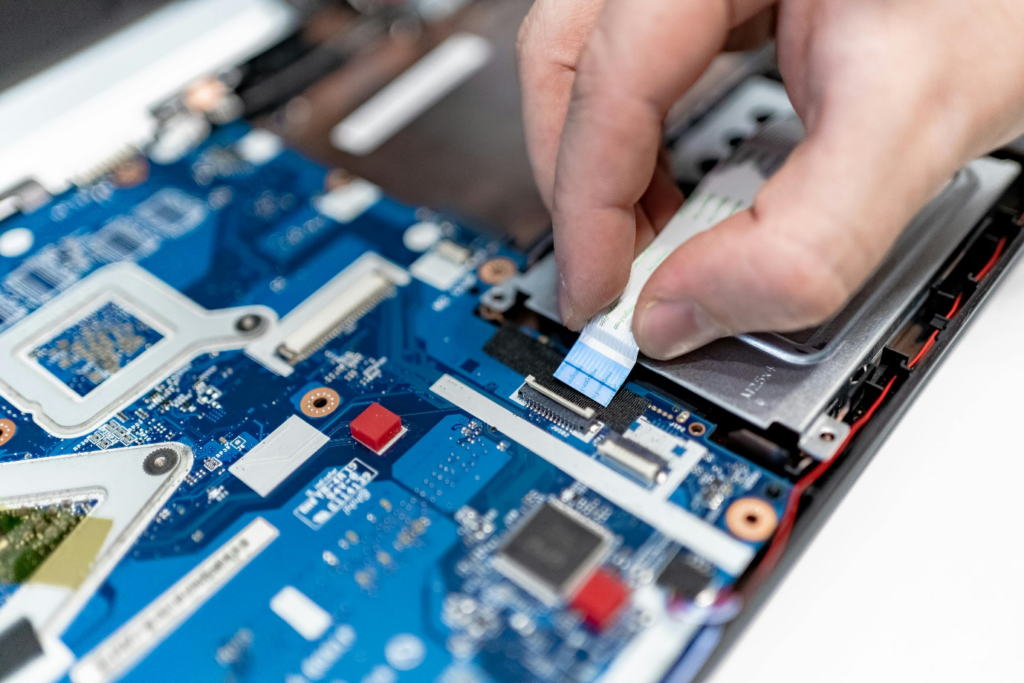
Heat kills performance. Dust blocks airflow, traps heat, and forces processors to throttle themselves. Laptops suffer most because of the tight internal space. Overheating causes sudden slowdowns, freezing, and random shutdowns. Routine computer maintenance prevents this problem before it causes permanent damage.
5. Outdated Operating Systems and Drivers
Old systems miss performance improvements and security fixes. Incompatible drivers create conflicts that slow everything down. Updates often fix lag, but improper updates can also cause problems. Experience matters here. Guesswork makes things worse.
Which Problems Remote Support Can Fix
Remote service works well when the computer still reaches the desktop and responds, even if it moves slowly. Professionals evaluate this during an initial phone conversation and qualify the issue before starting.
1) Performance Tuning and Cleanup
Remote sessions handle startup optimization, software removal, disk cleanup, and system adjustments. These fixes often produce immediate speed improvements. Many cases of slow performance qualify for remote computer repair in Princeton without the need to transport the system.
2) Virus and Malware Removal
Technicians often complete virus removal in Princeton remotely, especially when the operating system still functions. They scan, isolate, and remove infections while monitoring system behavior in real time. This approach saves time and avoids unnecessary downtime.
3) Email and Software Issues
Email problems, application errors, and configuration issues respond very well to remote help. These problems frustrate users but rarely require physical access. A skilled computer technician in Princeton resolves them efficiently through guided sessions.
4) Printer and Network Problems
Printers cause endless headaches, but most issues involve drivers, settings, or connectivity. Remote troubleshooting handles these cases quickly when the hardware still responds.
When Hands-On Repair Becomes Necessary
Some problems demand physical access. Professionals recognize these limits early and recommend in-person service when remote tools cannot help.
1. Systems That Fail to Boot
If a computer never reaches the desktop, remote support cannot connect. Boot hangups, corrupted system files, and failed drives require direct diagnostics. This situation calls for proper PC repair in Hamilton with the system on a workbench.
2. No Display or Severe Freezing
A blank screen usually disqualifies remote service unless a simple reset restores video output. Systems that freeze constantly or cannot stay powered long enough for troubleshooting also need hands-on evaluation.
3. Hardware Replacement and Internal Cleaning
Hard drive replacements, memory upgrades, thermal paste application, and fan cleaning all require physical access. These services restore speed and stability far more effectively than software tweaks alone.
4. Advanced Diagnostics
Intermittent failures, power issues, and motherboard faults demand testing tools and experience. Guessing wastes money. Proper computer repair in Princeton starts with controlled diagnostics and clear answers.
How Professionals Diagnose Slow Computers
Experts do not rely on guesswork. They follow a structured process that saves time and avoids unnecessary repairs.
They evaluate startup behavior, system logs, and resource usage. They check temperatures, storage health, and memory limits. They rule out malware before adjusting software. This methodical approach separates professional computer maintenance from quick-fix advice found online.
Preventing Future Slowdowns
Prevention costs less than repair. Regular maintenance keeps systems fast and reliable. Schedule updates instead of postponing them forever. Remove unused programs. Keep storage space available. Clean hardware periodically. Use reputable security tools. These habits reduce the need for emergency PC repair in Princeton and extend the life of your system.
Why Experience Matters
Anyone can reinstall software. Few people understand why a system slowed down in the first place. An experienced computer technician in Princeton explains the cause, not just the fix. That clarity helps users avoid repeating the same problems months later.
Trust Princeton Computer Repair Service: Get Your Speed Back
If your computer feels slow, we can help. At Princeton Computer Repair Service, we start with a real conversation, not assumptions. We evaluate whether remote support makes sense or whether hands-on diagnostics will save you time and money. We provide professional computer repair in Princeton with clear answers and practical solutions. Contact us today and let us restore your system’s speed and reliability—without the guesswork.