

Losing a folder of files feels like a personal emergency, but the drive itself doesn’t panic; it just keeps doing exactly what it’s told, which is often the problem. Most people’s first move after an accidental deletion or a drive that won’t boot is to download the first “free data recovery” tool that shows up in a search. Sometimes that works. Often it doesn’t, and worse, it can turn a fixable problem into a permanent one.
That gap between what consumer software can actually do and what people assume it can do is why professional data recovery techniques exist as their own discipline rather than a checkbox feature bundled into antivirus software. This article walks through the real difference between logical and physical drive failure and why the right response depends entirely on diagnosing the failure correctly before touching anything.
Logical Failure vs. Physical Failure: Two Completely Different Problems
Not all data loss is the same emergency. A logical failure means the drive’s hardware is fine, but something on top of it broke: a corrupted file system, an accidental format, a partition that vanished, or a deleted file that’s still technically sitting on the disk. This is the category recovery software is actually built for, and it can genuinely help here.
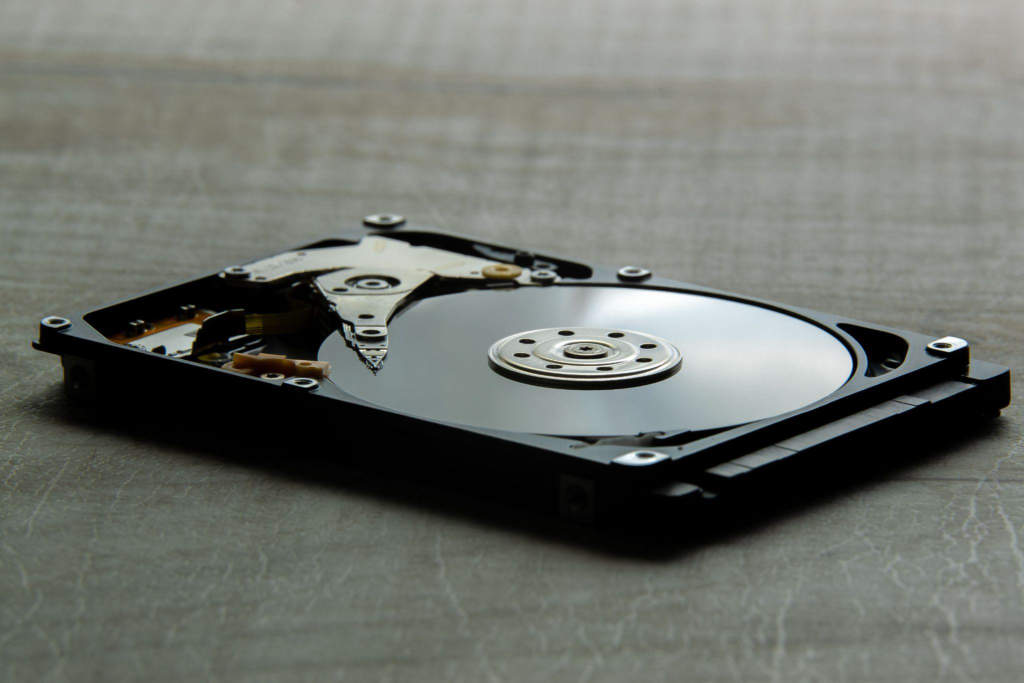
A physical failure is entirely different. This means something inside the drive itself is damaged: a scraped platter, a seized motor, a failed read/write head, or a burned-out circuit board.
According to one professional recovery guide, mechanical symptoms like clicking, grinding, or beeping mean the internal components are already failing, and continuing to run the drive, including running recovery software on it, accelerates the damage instead of fixing it, since the software forces damaged components to keep working and can cause read/write heads to crash directly into the platters that store the data.
Once that scraping happens, the data in that area is gone permanently. Software has no way to tell which category a drive falls into; a person has to, which is exactly where a trial-and-error download often makes things worse rather than better.

Why SSDs Don’t Play by the Old Rules
For years, “just run recovery software” was reasonably solid advice for a failing hard drive, because deleted files on a traditional HDD generally stick around on the platter until something else overwrites them. Solid-state drives changed that math completely.
Most SSDs use a feature called TRIM, which tells the drive which blocks are no longer needed so it can wipe them in the background to keep write speeds fast. The tradeoff is that once TRIM executes, which can happen within seconds of a deletion, sometimes even during a normal startup, the data is overwritten with zeros and is not reconstructable by any software, consumer or professional.
Once the SSD controller’s garbage collection process physically erases the NAND blocks, there’s no residual data left to recover, full stop. This is a meaningful shift from how people are used to thinking about data recovery in Princeton; the fix for an SSD often has nothing to do with software strength and everything to do with how fast someone acted, or whether the SSD’s controller has failed rather than the actual memory chips, which is a very different and sometimes recoverable scenario.
Accidental Deletion Isn’t Always as Simple as “Undo”
Accidental deletion is the most common reason people lose files, and it’s more common than most people expect. Human error, not hacking, drives most personal data loss, and a striking share of people never back up anything at all despite growing dependence on digital files.
What happens after deletion depends heavily on the storage type and how the device has been used since. On a traditional hard drive, a deleted file usually just gets marked as free space; the data itself often survives until something else is written over it, which is why powering down immediately and avoiding continued use of the drive matters. On flash-based storage, when TRIM was enabled, no trace of previously deleted files can be recovered; the command effectively behaves like a digital shredder for flash storage.
Image Title: hard-drive
Image Description: a hard drive placed on a gray surface
Alt Text: A proper diagnosis comes before any data recovery attempt, not after.
Why Recovery Is a Diagnostic Process, Not a Download
Hard drives fail more often than most people assume. Professional recovery starts with identifying exactly what failed before attempting anything.
A drive that’s simply corrupted might be recoverable with the right imaging tools in an afternoon. A drive with a failed head assembly needs to be opened in a certified clean room, since even a single speck of dust landing on an exposed platter can cause a head crash and destroy the data permanently. An SSD with a dead controller but healthy memory chips needs specialized hardware to read the NAND directly; software alone can’t get there.
Getting this diagnosis wrong, or skipping it entirely in favor of a downloaded tool, is how a $150 fix turns into permanent data loss.
Data loss rarely announces itself politely. One minute a folder is there, the next it’s gone, or a drive that worked fine yesterday won’t even power on today. What happens in the next few minutes often matters more than any recovery software ever could, and getting an accurate diagnosis before touching anything is usually the difference between a full recovery and a permanent loss.
Serving Mercer County, Princeton Computer Repair Service offers data recovery services built around proper diagnosis first. Beyond recovery, our team also handles computer and laptop data transfer in Princeton for anyone moving to a new machine.
If a drive is making noise, missing files, or refusing to boot, the safest next step is to stop using it. Contact us today to get it properly diagnosed before more data is lost.