
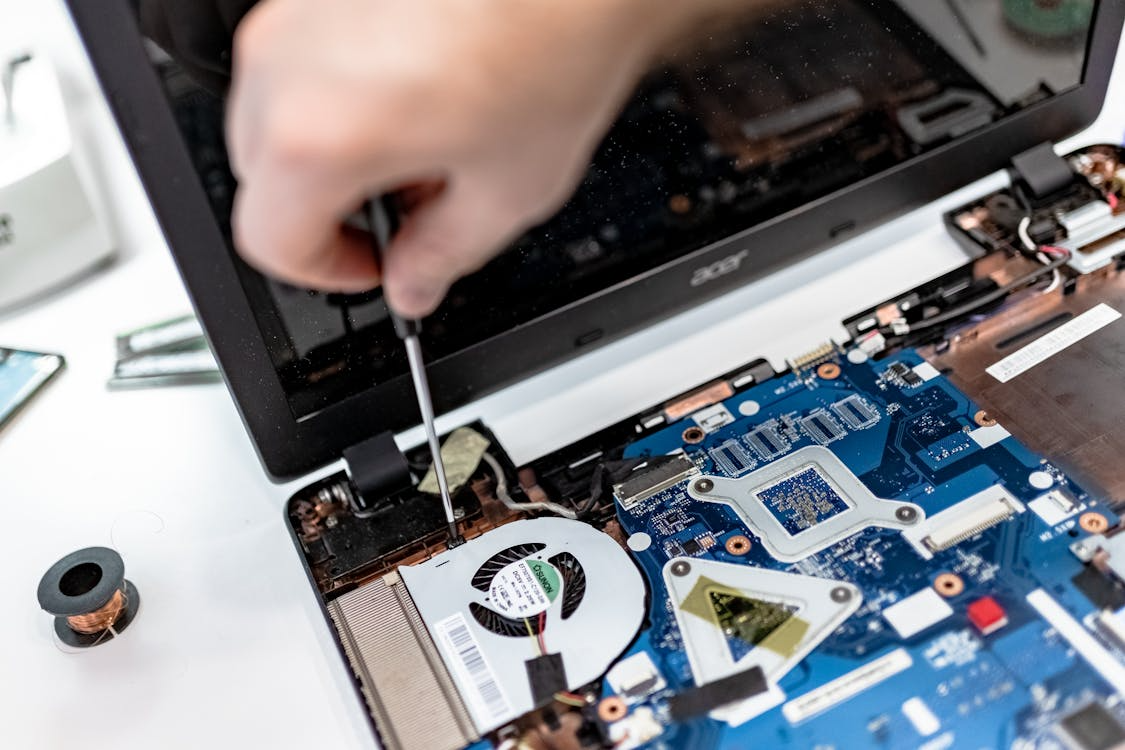
Most people only think about their computer when something goes wrong. A slow startup, a crashing application, or a screen that will not respond are the moments that prompt a call to a technician, but by the time those symptoms appear, the underlying issues have often been building for months. Routine computer maintenance is the practice that prevents those moments from happening in the first place, and for residents and businesses in Princeton and the surrounding area, it is one of the most cost-effective investments in technology they can make. Whether you are using a Windows PC, a MacBook, an iMac, or a gaming setup, a regular tune-up keeps your system performing at the level you paid for and extends its useful life significantly beyond what neglect allows. Princeton Computer Repair Service works with clients across Princeton, Hamilton, Trenton, and Ewing to deliver the kind of proactive care that keeps computers fast, stable, and reliable long before emergency repairs become necessary.
What a Computer Tune-Up Actually Involves
A professional computer tune-up is not simply a matter of running a single cleanup tool and calling it done. It is a systematic process that addresses every layer of a computer’s performance, from the physical condition of its hardware to the efficiency of its software environment.
On the software side, a comprehensive tune-up includes removing temporary files and cached data that accumulate over time and consume storage space without contributing to performance. It involves reviewing startup programs, disabling those that are loading unnecessarily at boot and slowing the system before the first application is even opened. It includes checking for and removing malware, adware, and potentially unwanted programs that drain processing resources in the background. Software updates are verified and applied, including operating system patches that address security vulnerabilities and driver updates that ensure hardware components are communicating with the system efficiently.
On the hardware side, a tune-up involves inspecting internal components for dust accumulation, which acts as insulation and causes processors, graphics cards, and other heat-sensitive components to run hotter than they should. Thermal paste on the processor is checked and replaced if it has degraded, restoring efficient heat transfer between the chip and its cooling system. Storage health is assessed using diagnostic tools that identify early signs of drive failure before data loss occurs. RAM is tested for errors, and connection points are checked for corrosion or seating issues that can cause intermittent performance problems.
Why Dust and Heat Are Among the Biggest Performance Killers
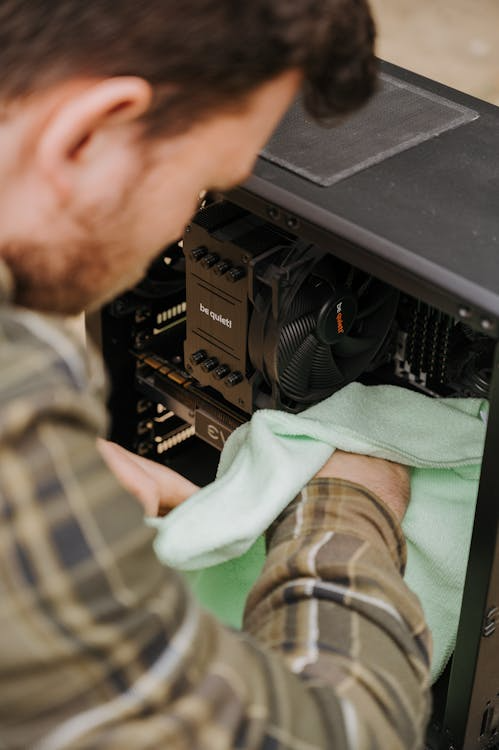
Heat is the most underappreciated threat to computer performance and longevity among everyday users. Modern processors and graphics cards are designed to reduce their operating speed when internal temperatures exceed safe thresholds, a process called thermal throttling. A computer that is thermal throttling due to dust-blocked airflow or degraded thermal paste is running slower than its specifications allow, not because of software problems or aging hardware, but because it is protecting itself from heat damage.
For gaming PC owners in Princeton, this distinction is particularly important. A high-performance gaming system with a clogged cooling solution is not delivering the frame rates and processing speeds it is capable of. Regular cleaning and thermal maintenance restore those performance levels without requiring expensive component upgrades. For MacBook and iMac users, the same principle applies. Apple’s compact designs leave limited margin for airflow restriction, making regular dust removal and thermal paste maintenance especially impactful for long-term performance.
Storage Health and Its Impact on Everyday Speed
One of the most noticeable effects of a well-executed computer tune-up is improved storage performance. Hard drives and solid-state drives that are heavily fragmented, nearly full, or showing early signs of mechanical wear all contribute to slower load times, longer file transfer speeds, and reduced system responsiveness.
A professional tune-up identifies storage issues before they become failures. Drives showing warning signs in diagnostic testing can be backed up and replaced before data is lost, rather than after. For clients in Princeton who rely on their computers for work, the difference between catching a failing drive during a routine tune-up and discovering its failure through sudden data loss is the difference between a planned expense and a data recovery emergency. Princeton Computer Repair Service performs comprehensive storage diagnostics as part of every tune-up, ensuring that clients have a clear picture of their drive health before problems escalate.
Software Bloat and the Quiet Drain on System Resources
Over time, computers accumulate software that was installed once, used briefly, and then forgotten. Each of these applications may leave background processes, startup entries, and scheduled tasks running continuously, consuming processor cycles and memory that the user’s active applications need. This software bloat is one of the most common and most addressable causes of gradual performance decline in computers that are otherwise in good physical condition.
A professional tune-up audits installed software, identifies programs that are running unnecessarily in the background, and removes or disables them with the client’s knowledge and consent. The result is a system that allocates its resources to the applications the user actually wants to run rather than distributing them across a background ecosystem of forgotten installations. For clients using older hardware, this software optimization can produce a performance improvement comparable to a hardware upgrade at a fraction of the cost.
The Long-Term Case for Preventive Maintenance
The financial argument for regular computer tune-ups is straightforward. A system that is maintained consistently runs longer, requires fewer emergency repairs, and retains its performance level further into its lifespan than one that receives attention only when something breaks. Emergency computer repair, data recovery, and component replacement are all significantly more expensive than the routine maintenance that prevents them.
For Princeton Computer Repair Service clients across Princeton, Hamilton, Trenton, Ewing, and North Brunswick, a scheduled tune-up is not just a performance service. It is a relationship with a technician who knows their system, tracks its health over time, and can identify the early warning signs that indicate when an upgrade, a component replacement, or a more substantial intervention is approaching. That continuity of care is what turns a single service visit into a long-term investment in technology that keeps working when it is needed most.
Keep Your Computer Running at Its Best With Princeton Computer Repair Service.
Princeton Computer Repair Service provides professional computer maintenance in Princeton, virus removal, data recovery, laptop repair, and hardware upgrades for residents and businesses across Princeton, Hamilton, Trenton, Ewing, and North Brunswick. Do not wait for something to break. Contact to schedule your tune-up today and let our experienced PC technicians keep your system fast, secure, and reliable.