
People often walk into our shop holding a device in one hand and a worried look on their face. Their first question is almost always the same: “Should I fix this or just buy a new one?”
It’s a fair question. Devices are expensive, repairs vary in cost, and it’s hard to know when a quick fix will bring your system back to life or when replacement is the smarter long-term move.
At Princeton Computer Repair Service, we give honest guidance every day. Sometimes a repair saves you hundreds of dollars. Other times, replacing the device prevents you from throwing money at a machine that’s already past its prime. This guide breaks down the most common issues we see, cracked screens, battery problems, water damage, broken hinges, and slow performance, and shows you how to decide what makes sense.
Cracked Screens: Repair Most of the Time
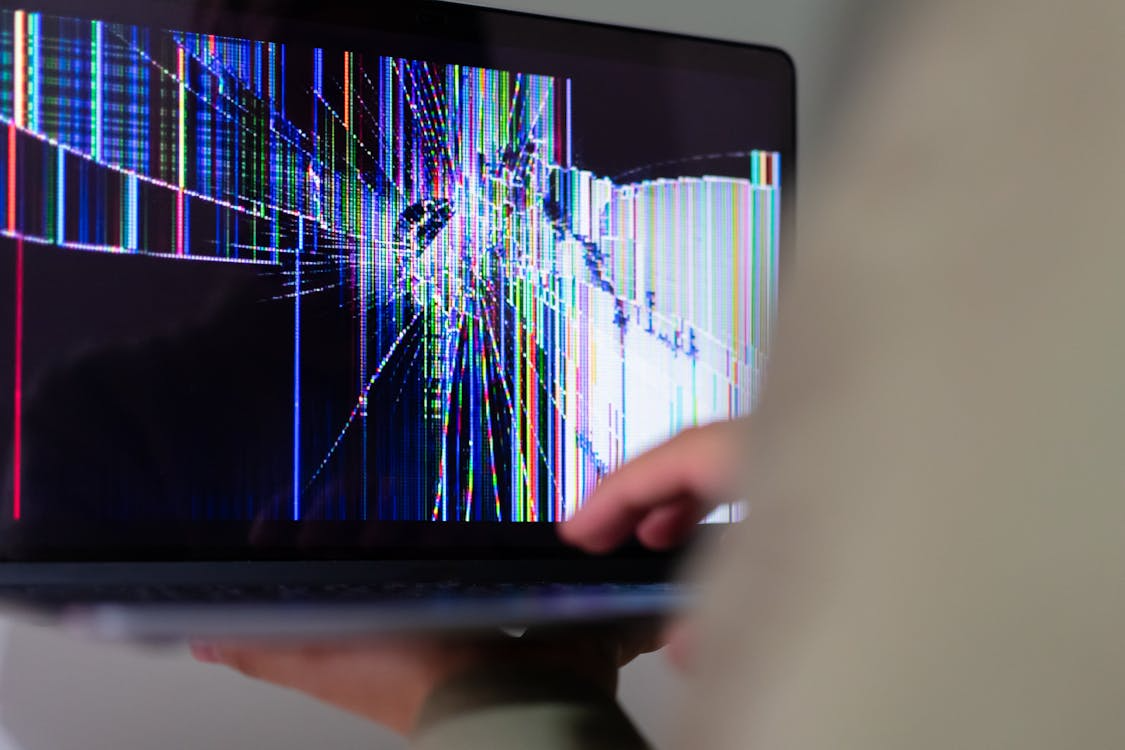
A cracked screen is one of the most common reasons people panic. The screen may still light up, but the crack spreads, touch controls become erratic, or colors start bleeding across the glass.
Here’s the good news: most screen issues are repairable and relatively affordable compared to buying a new phone, tablet, or laptop.
Repair is usually the right choice when:
- The device works fine besides the crack
- The screen still responds to touch
- The device is under three or four years old
- You haven’t noticed additional internal damage
Fixing the display restores both usability and safety. Many customers who come in for broken screen repair leave surprised by how fast and cost-effective the process is.
Replacement becomes the better option when:
- The device is old enough that screen repair is half the price of a new one
- The fall damaged internal components or bent the frame
- Touch or display connectors inside the device are broken
- The manufacturer no longer supports software updates
If your device is relatively modern and has no more serious damage, repairing the screen is almost always smarter.
Battery Problems: Replace the Battery, Keep the Device

Batteries wear down. It’s not a flaw, it’s chemistry. After a few years, most laptop and phone batteries hold far less charge than they used to. Eventually, you’re carrying your charger everywhere or watching your device shut off at random percentages.
Repair (battery replacement) is the right call when:
- Your device works well, but drains quickly
- The battery is swollen
- The system shuts down even when the battery shows a charge
- Charging takes a long time or stops unexpectedly
A good example: many people come to us for macbook air screen replacement in Pinceton thinking they need a brand-new laptop. Once the battery’s replaced, the machine feels almost new again.
Replacement is smarter when:
- The device is extremely old and struggles with modern apps
- Battery replacement costs nearly as much as a new device
- Multiple components are failing at the same time
- The device is out of support and no longer receiving updates
If the battery is the only thing holding you back, repair is almost always the sensible (and far cheaper) move.
Water Damage: Sometimes Fixable, Sometimes Not
Water is unpredictable. A small spill can cause big damage, or a full drop into a sink can leave the device somehow working. Moisture corrodes parts, breaks circuits, and often causes problems days or weeks later.
Repair makes sense when:
- You acted quickly (powered off the device and didn’t try to charge it)
- Moisture reached only the keyboard or casing
- Corrosion is limited and treatable
- The device turns on but behaves oddly
We often perform diagnostics for people seeking emergency computer repair after spills. If we catch it early, cleaning and targeted part replacement can save the device.
Replacement is better when:
- Water reached the motherboard
- Corrosion is widespread
- The device doesn’t turn on even after cleaning
- Repair costs exceed value
With water damage, speed matters. Waiting reduces the chances of saving the device.
Broken Hinges on Laptops: Fixing Is Usually Worth It
Laptop hinges take a beating. Constant opening and closing eventually wear them down, especially on older or heavily used machines. When a hinge snaps or loosens, it often pulls the screen, frame, or internal cables with it.
Repair is typically the smart choice when:
- The hinge is loose, not broken
- The plastic around the hinge cracked, but it can be reinforced
- The screen cables are still intact
- The laptop is structurally sound
This is one of the most common reasons people visit us for network installation in Princeton, macbook battery replacement in Princeton. Fixing a hinge usually extends the life of your laptop dramatically and prevents more serious damage.
Replacement makes sense when:
- The hinge ripped out the metal brackets inside the frame
- The screen casing is completely shattered
- Opening and closing the laptop damages the internal wiring
- A new device isn’t much more expensive than the full hinge replacement
If the hinge damage is severe enough to affect multiple components, replacement becomes more practical.
Slow Systems: Repair Before You Replace
A slow computer can make even simple tasks miserable. The system freezes, apps take forever to open, and startup times feel endless.
In most cases, slow performance isn’t a death sentence; it’s a sign the system needs maintenance or upgrades.
Repair or optimization is the right step when:
- You have low storage space
- The hard drive is old
- You’ve accumulated years of unused apps and files
- Dust is clogging fans and vents
- You’ve never upgraded RAM or switched to a solid-state drive
- Malware is slowing everything down
Our team regularly handles performance-related computer repair in Ewing jobs where the customer assumes they need a new machine, but after upgrades and cleanups, speed improves dramatically.
Replacement is better when:
- The device is older than six or seven years
- Upgrades aren’t supported
- The motherboard or processor is failing
- The system struggles with basic apps even after cleaning and optimization
Before you replace a slow system, always consider a diagnostic. You may only need a fraction of the investment you were expecting.
When Repair Is the Smarter Choice
You should lean toward repairing your device when:
- The device is under four or five years old
- Only one component is failing
- Repair costs are well below the price of a new model
- Performance is good aside from the issue
- The device still receives software updates
- You have important data you want to preserve
Repairs can extend the life of your device by years, and in many cases, the device feels brand new afterward.
When Replacement Makes More Sense
Replacement is a better idea when:
- Multiple components are failing at once
- The device is outdated or unsupported
- Repair costs exceed half the price of a new model
- You’re looking for new features, more memory, or better performance
- Damage is extensive (especially water or motherboard issues)
When a device has reached the end of its useful life, investing in repairs often leads to frustration and recurring issues.
Ready for Clear, Honest Advice? We’re Here to Help!
Whether your laptop hinge snapped, your battery refuses to charge, or your screen is barely hanging on, you don’t have to figure it out alone. Bring your device to Princeton Computer Repair Service for a friendly, thorough evaluation. We’ll break down what’s wrong, what your options are, how long it will take, and what makes the most financial sense.
If you need fast help or guidance on your next step, reach out today. We specialize in Remote Software Application Issues Princeton, Remote Support for Printer Issues in Princeton, Remote Software Installation for Windows in Princeton, Remote Support for MAC in Princeton, and Remote Software Installation for Apple in Princeton, ensuring your devices are back to full strength without wasted time or money.