
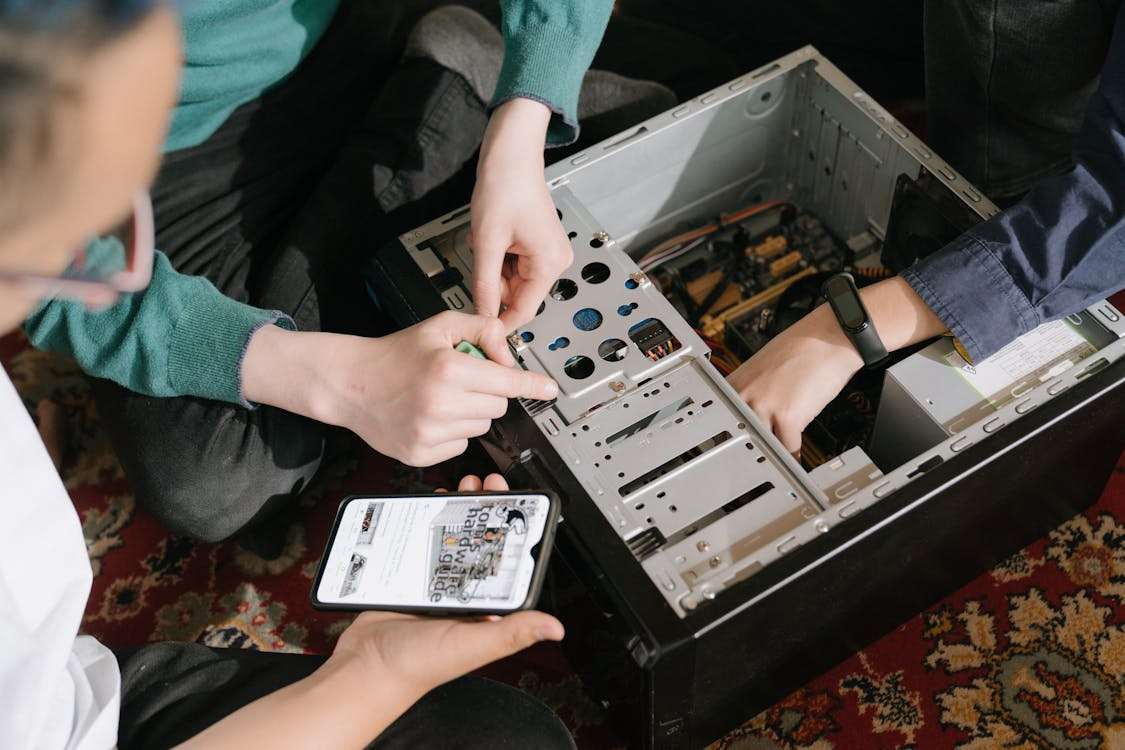
Most people drop off a device at a repair shop and walk out hoping for a miracle. A frozen laptop, a dead gaming PC, a phone that won’t charge, or a desktop that suddenly refuses to turn on, whatever the issue is, the repair process usually feels like a mystery.
But behind that counter is a structured, methodical workflow designed to uncover the problem, restore the device safely, and make sure it comes back to you running better than before. At Princeton Computer Repair Service, we follow a process that’s both thorough and predictable, no matter what device comes through the door.
If you’ve ever wondered what really happens after you hand over your laptop, phone, or PC, here’s a clear look behind the scenes.
Step 1: The Intake Conversation
Every repair starts with a simple goal: understand what you’re experiencing.
When you bring in a device for computer repair in Hamilton, we begin with a conversation that covers:
- What the device was doing before it failed
- When the issue started
- Any recent drops, spills, updates, or new apps
- Whether the problem is constant or intermittent
- What you’ve already tried at home
The more we know, the faster we can pinpoint the root cause. A “slow computer” can be caused by dust, a failing hard drive, malware, or a dying fan. A “dead laptop” may just need a power jack repair or as much as a full board replacement. The intake helps narrow down the possibilities.
Step 2: The Diagnostic Check
Diagnostics are the backbone of every professional repair. Before we touch a screwdriver, we test the hardware, the software, and the device’s overall health.
Here’s what a typical diagnostic includes:
Hardware testing
We check:
- Power supply and charging systems
- Battery performance
- RAM stability
- CPU and GPU activity
- Hard drive or SSD health
- Cooling system function
- Loose or damaged connections
For many customers who come in seeking laptop repair in Princeton, a failing hard drive or overheating fan is the culprit, both fixable once detected early.
Software Inspection
We look for:
- Malware
- Corrupted files
- Driver issues
- Failing updates
- Background processes slowing the system
When systems freeze or take forever to load, software diagnostics often reveal the true cause.
Physical Inspection
For laptops especially, we examine:
- Hinges
- Ports
- Screen assemblies
- Keyboards
- Internal dust buildup
With gaming PCs, internal lighting, custom cooling loops, and cable stability are part of the check as well, especially when someone needs gaming PC repair.
Data Integrity Check
If the device shows signs of storage failure, we determine whether the data is accessible. This is where our data recovery in Princeton come into play. Even if the device doesn’t boot, the data may still be salvageable.
Diagnostics help us deliver one thing: certainty. Instead of guessing, we can tell you exactly what’s wrong, how severe it is, and whether repair or replacement is the better choice.
Step 3: Clear Explanation and Approval

Once the diagnostic is done, we walk you through:
- What’s causing the issue
- What needs to be repaired or replaced
- How long will the fix take
- What will the cost be
- Whether the device is still worth repairing
We never move forward without your approval. If the repair is more expensive than the device is worth, we say so, plainly and directly. If the fix is affordable and will extend the lifespan of the device significantly, we explain that too.
For customers coming in with urgent issues needing emergency computer repair, macbook battery replacement in Princeton, laptop Battery replacement in Princeton and macbook pro screen replacement in Princeton, this clarity is even more important. You need fast answers, and we make sure you get them.
Step 4: Parts Sourcing and Quality Control
Once you approve the repair, we source the necessary parts. This step matters more than most people realize.
Low-quality components lead to repeat failures, overheating, short battery life, and unstable performance. That’s why we use only tested and verified parts from reliable suppliers.
What we look for when sourcing parts:
- Compatibility with your exact model
- Factory-grade performance
- Warranty coverage
- Durability and long-term stability
For example:
- A replacement fan for a gaming PC must match both the airflow and the connector type
- A phone screen must match touch sensitivity, brightness, and color calibration
- A laptop battery must carry proper safety certifications
- A motherboard replacement must match both generation and chipset
Professional repairs succeed because the parts match the device, not because they are simply available.
Step 5: Safe and Precise Disassembly
Taking a device apart isn’t as simple as removing screws. Each model, laptop, desktop, phone, or gaming PC has a unique structure and order of operations.
Inside the workstation, we follow strict safety practices:
- Static-free repair mats
- Proper grounding
- Organized trays for tiny screws and brackets
- Correct prying tools and thermal equipment
- Antistatic gloves when handling sensitive components
For phones and tablets, heat must be applied carefully to loosen the adhesive without harming internal components. For laptops, the keyboard, motherboard, cooling assembly, and battery require precise removal steps. For gaming PCs, custom wiring and cooling systems need careful handling.
A professional setup prevents accidental damage and ensures parts go back exactly where they belong.
Step 6: Performing the Repair
This is where the magic happens—but the “magic” is actually a series of known, repeatable steps.
Depending on the problem, the repair might include:
Component replacements
Such as:
- Screens
- Keyboards
- Batteries
- Fans
- Motherboards
- Power ports
- SSDs or hard drives
- RAM modules
Internal cleaning
Dust removal, thermal paste replacement, and airflow optimization are standard for older laptops and desktops.
Software cleaning and optimization
This includes malware removal, system repairs, and restorations. Issues solved through computer repair in Manville often involve restoring stability, not replacing hardware.
Water damage treatment
If moisture is present, we:
- Disassemble the device
- Remove corrosion
- Ultrasonically clean components
- Inspect for broken circuits
- Replace compromised parts
Cooling system fixes
For gaming PCs, especially, proper cooling is essential. We clean the system, reapply thermal paste, and ensure the fans or liquid cooling loops are functioning correctly.
Each repair is methodical. Nothing is rushed. Every step is recorded so we can explain to you exactly what was done.
Step 7: Multi-Stage Testing

Once the device is repaired, we run it through a complete series of tests to make sure everything works the way it should.
Hardware testing
We stress-test:
- CPU
- GPU
- RAM
- Fans
- Ports
- Drives
Gaming PCs get high-load benchmark tests to ensure stability after repair or upgrades.
Software testing
We check:
- Boot times
- Update stability
- Driver integrity
- App performance
- Malware detection
Battery and charging tests
For laptops and phones, we monitor:
- Charge speed
- Battery drain
- Overheating
- Power cycling consistency
Screen and touch tests
If a screen was replaced, we verify:
- Brightness
- Touch accuracy
- Color consistency
- Dead pixels
No device leaves without passing every stage. If something fails, we fix it before you ever see it.
Step 8: Final Quality Check and Cleaning
Before we return your device, we give it a final inspection:
- Screws tightened
- Cables secured
- Dust removed
- Fingerprints cleaned
- Ports checked
Your device should look and feel better than it did when you brought it in.
Step 9: Pick-up and Future Prevention Tips
When you return, we will walk you through:
- What we repaired
- What caused the issue
- How to avoid it in the future
- Any updates or upgrades you may want later
We want you to feel confident, not confused, when you take your device home.
Ready for Professional, Transparent Repair? We’re Here to Help.
Whether you’re dealing with a broken laptop hinge, a frozen gaming PC repair in Princeton, a slow desktop, or a phone that won’t turn on, you don’t have to guess what’s wrong or try risky DIY fixes.
At Princeton Computer Repair Service, we combine clear communication with detailed, careful work at every stage. If you need dependable diagnostics, fast turnaround, or urgent help through emergency computer repair, we’re ready when you are.
Bring your device to us today for a thorough diagnostic and expert care. We also provide Remote Support for Linux in Princeton, Remote Access Services in Princeton, and Remote Email Error Fixing in Princeton, allowing us to identify issues, show you exactly what’s happening inside your system, and get it back to full strength efficiently.