

If you own a MacBook, you know it’s more than just a laptop, it’s a daily companion for work, creativity, and staying connected. But even Apple’s sleek machines aren’t immune to problems. Whether it’s a flickering display, a battery that drains before lunch, or apps freezing at the worst possible time, MacBooks can, and do, develop issues.
The question is: when can you troubleshoot problems yourself, and when should you seek expert MacBook repair in Princeton? At Princeton Computer Repair Service, we’ve helped countless MacBook owners extend the life of their laptops. This guide breaks down the most common MacBook problems, how to troubleshoot them, and when it’s time to let a professional step in.
Why MacBook Repairs Are Different
Apple designs its MacBooks to be compact and efficient, but that design also makes them harder to repair without the right tools and expertise. Batteries are often glued in place, screens are tightly integrated, and software issues can be tricky to diagnose.
That’s why many MacBook owners in Princeton choose professional help instead of DIY fixes. Skilled technicians ensure your device gets the care it needs without the risk of further damage.
1. Screen Issues: Cracks, Flickers, and Blackouts
Troubleshooting at Home
Before assuming your screen needs a full replacement, try these steps:
- Reset the SMC (System Management Controller):This often resolves power and display issues.
- Check brightness settings:Sounds obvious, but sometimes auto-brightness settings are the culprit.
- Use an external monitor:If the external display works fine, your screen or display cable may be the issue.
When to Seek Repair
If you’re staring at cracks, colored lines, or a display that won’t turn on despite the MacBook powering up, it’s time for professional MacBook pro screen replacement in Princeton or MacBook air screen replacement.
Repair Timeline and Cost
Screen replacements usually take 2–4 hours, depending on parts availability. Costs range from $250 to $600, depending on the model. While not the cheapest repair, it’s far more affordable than replacing the entire MacBook.
2. Battery Problems: Short Life and Swelling

Troubleshooting at Home
You can get a quick picture of your battery’s health by:
- Clicking the Apple logo → About This Mac → System Report → Power → Battery Health.
- Checking for “Normal,” “Replace Soon,” or “Service Battery” statuses.
- Adjusting energy settings to reduce drain (lower brightness, close unused apps).
When to Seek Repair
Signs you need a MacBook battery replacement include:
- Your MacBook won’t run without being plugged in
- Battery life is under two hours even after a full charge
- The trackpad feels raised or the bottom case bulges (a sign of swelling—seek immediate repair for safety)
Repair Timeline and Cost
Battery replacements usually take 1–2 hours. Costs range from $150 to $300 depending on the model. Investing in a new battery can extend your MacBook’s life by several years.
3. Performance Issues: Freezing, Lagging, and Crashes
Troubleshooting at Home
Performance slowdowns aren’t always hardware-related. Try:
- Checking Activity Monitor:Identify apps hogging memory or CPU.
- Freeing up storage:Keep at least 10–15% of your drive space clear.
- Running a malware scan:Yes, Macs can get malware too.
- Resetting PRAM/NVRAM:Fixes many random glitches.
When to Seek Repair
If you’ve tried the above and your MacBook is still sluggish, it may need a computer upgrade. Technicians can add more RAM (in older models), swap out a failing hard drive for a solid-state drive, or handle deeper software repairs.
Repair Timeline and Cost
Upgrades or performance repairs usually take 2–4 hours. Costs vary widely—software fixes may be under $100, while hardware upgrades can range from $200 to $500.
4. Keyboard and Trackpad Problems
Troubleshooting at Home
- Blow compressed air across the keyboard to clear dust.
- Check System Preferences to ensure trackpad gestures are enabled.
- Restart the MacBook to clear temporary glitches.
When to Seek Repair
Sticky keys, unresponsive typing, or a trackpad that won’t click often require professional service. In some cases, these issues result from swollen batteries pressing against internal parts, making quick repair essential.
5. Overheating and Loud Fans
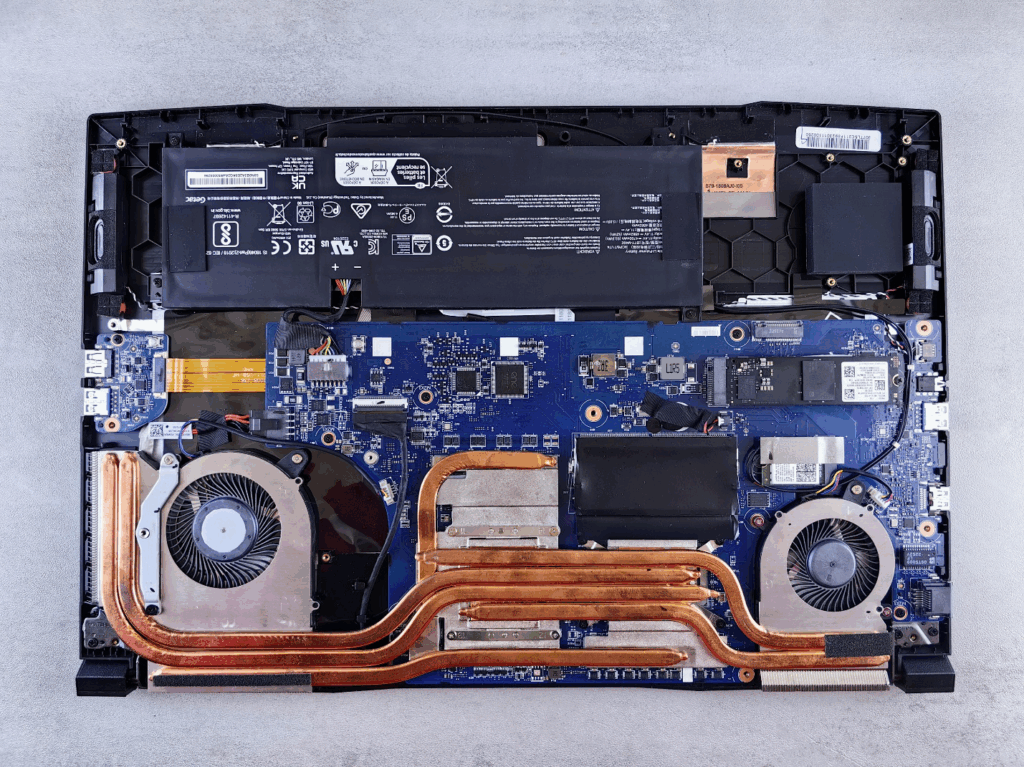
Troubleshooting at Home
- Make sure vents aren’t blocked.
- Keep your MacBook on a hard surface instead of your lap or a blanket.
- Close unused apps and tabs.
When to Seek Repair
If your MacBook overheats even under light use, the cooling system may need cleaning or repair. Ignoring this problem risks permanent damage to the logic board.
6. Data Loss: When Files Go Missing
Troubleshooting at Home
- Check the Trash before panicking.
- Use Time Machine backups if enabled.
- Try Spotlight search to confirm the file isn’t just misplaced.
When to Seek Repair
If your MacBook won’t start or files vanish due to drive failure, professional data recovery is your best bet. Don’t attempt DIY recovery—it risks overwriting the very files you want to save.
When to Call for Emergency Help
Not all issues can wait. If your MacBook is essential for work or school and you’re facing a broken screen repair in Princeton, battery swelling, or sudden data loss, emergency repair ensures you don’t lose valuable time.
At Princeton Computer Repair Service, we offer fast turnaround options, so you’re not left without your MacBook when you need it most.
Why Choose Professional MacBook Repair in Princeton
Working with Apple devices requires experience. At Princeton Computer Repair Service, our technicians:
- Use high-quality, compatible replacement parts
- Provide warranties on both parts and labor
- Offer clear, upfront pricing
- Handle everything from MacBook battery replacementin Princeton to MacBook pro screen replacement with precision and care
DIY attempts may seem cheaper, but inexperience often leads to more costly repairs later. Professional service ensures your MacBook gets fixed right the first time.
Don’t Let Small Issues Become Big Problems
Whether you’re dealing with a MacBook battery replacement, a MacBook air screen replacement in Princeton, or performance issues that slow you down, Princeton Computer Repair Service is here to help.
Call us today or book your appointment online for reliable, expert MacBook repair. Don’t wait until a small issue turns into a costly breakdown—let’s get your MacBook running like new again.