

Your laptop is probably one of the most important tools you own. It helps you work, learn, connect with loved ones, and even unwind after a long day. But like any piece of technology, laptops don’t last forever. Sooner or later, problems start creeping in, cracks in the screen, batteries that won’t hold a charge, or software that seems to freeze every other hour.
The good news? Most laptop problems have solutions, and knowing the signs early can save you time, stress, and money. At Princeton Computer Repair Service, we’ve worked on thousands of laptops, and we know which issues are most common, how to spot them, and what kind of repair (and cost) you can expect.
This guide breaks down the top laptop repairs you’re likely to face, when to act, and how long typical fixes take. Whether you’re a student, professional, or casual user, this information will help you keep your laptop running smoothly for years to come.
Why Laptop Repairs Are So Common
Unlike desktops, laptops travel everywhere with us, to coffee shops, classrooms, meetings, and vacations. That mobility is convenient, but it also makes them more vulnerable to damage. Add in constant charging, software updates, and the occasional accident, and it’s easy to see why laptop repair needs are so frequent.
Fortunately, most issues don’t mean you need a new machine. Repairs like screen replacement in Princeton, laptop battery replacement, or even a professional computer upgrade can bring your laptop back to life for a fraction of the cost of buying new.
1. Broken or Cracked Laptop Screens
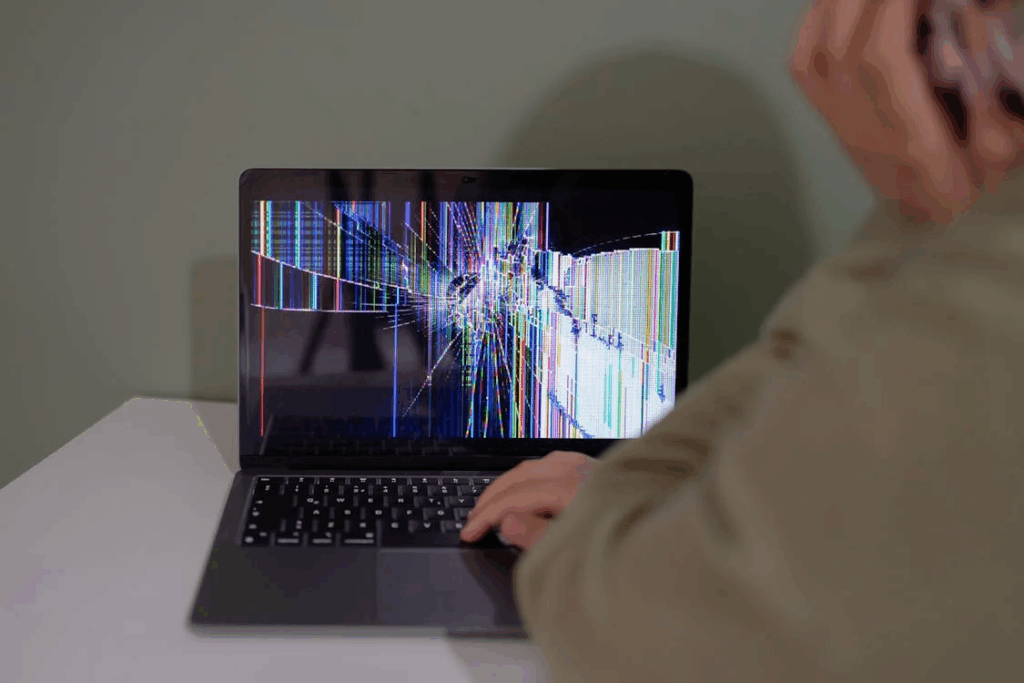
Signs You Need Screen Repair
- Obvious cracks or spiderweb damage
- Black spots, lines, or discoloration
- Flickering or dim display
- Unresponsive touchscreen (for 2-in-1 laptops)
What Causes Screen Damage
Most broken screens come from drops, pressure (like closing the lid with something inside), or accidental bumps. Sometimes, hinges that loosen over time can also stress the screen until it cracks.
Repair Timeline and Cost
A typical broken screen repair in Ewing takes between 1–2 hours once the parts are available. Costs vary depending on the model, but most fall between $100 and $300—far less than buying a new laptop.
2. Dead or Failing Laptop Batteries
Warning Signs
- Your laptop only works when plugged in
- The battery drains unusually fast
- Overheating while charging
- Battery swelling or bulging under the trackpad
Why Batteries Fail
All laptop batteries degrade over time. After 2–4 years of regular use, many can no longer hold a reliable charge. Heavy multitasking, gaming, or leaving your laptop constantly plugged in can speed up this decline.
Repair Timeline and Cost
A professional laptop battery replacement usually takes under an hour. Prices range from $70 to $200 depending on the model. Some laptops (like MacBooks) have batteries glued inside, requiring extra labor, but the result is a laptop that feels new again.
3. Slow Performance and Freezing
Warning Signs
- Programs taking forever to load
- Frequent “not responding” messages
- Fan running loudly even with light use
- Long startup and shutdown times
Possible Causes
- Too many startup programs
- Malware or viruses
- Failing hard drive
- Insufficient RAM for modern applications
Solutions and Timelines
Sometimes a computer upgrade is all you need, swapping in a solid-state drive (SSD) or upgrading memory can cut load times dramatically. Basic cleanups or virus removal often take just a few hours, while more advanced upgrades may require a day if special parts need ordering. Costs range from $80 for software fixes to $200+ for full hardware upgrades.
4. Data Loss and File Recovery

Signs You May Need Data Recovery
- Missing files that weren’t deleted
- Laptop won’t boot
- Clicking sounds from the hard drive
- System crashes during file access
Causes
Hard drive failure, corrupted system files, accidental deletion, or malware.
Solutions and Costs
Professional data recovery in Princeton can often save files that seem permanently lost. Simple recoveries may take just a few hours, while more complex cases may require days of work. Costs vary widely, from $100 for software-level recovery to $600+ for mechanical drive repair.
Why Professional Repairs Pay Off
DIY tutorials may look tempting, but laptops are delicate machines. One mistake can turn a minor issue into a major (and costly) disaster. Working with a trusted pc technician ensures:
- Proper diagnosis of the real problem
- Access to high-quality replacement parts
- Safe handling of sensitive components
- Reliable warranties on the work
At Princeton Computer Repair Service, we prioritize fast, professional, and lasting solutions, so you can spend more time using your laptop and less time worrying about it.
When to Consider Emergency Repair
Not every repair can wait until next week. Situations like a looming work deadline, critical data recovery, or a broken screen repair right before a presentation require fast action. Professional emergency computer repair ensures you’re not left stranded when you need your laptop the most.
How to Decide: Repair or Replace?
Sometimes, repair makes sense. Other times, investing in a new laptop is the smarter move. Here are key factors to weigh:
- Age of the laptop:If it’s under 5 years old, repair is usually worth it.
- Cost of repair vs. new purchase:If repair costs exceed 50% of a new device, replacement may be better.
- Your needs:If you’re upgrading for gaming, design, or heavy computing, a new laptop might fit better than repeated upgrades.
Get Your Laptop Back in Top Shape
Whether you’re dealing with a screen replacement, a laptop battery replacement in Princeton, or a much-needed computer upgrade in Princeton, waiting only makes things worse. Small problems often grow into major ones if ignored.
Contact Princeton Computer Repair Service today to schedule your repair. Our skilled technicians handle everything from simple fixes to complex data recovery. Don’t let laptop troubles disrupt your life, get reliable repairs you can trust.